Stop Working Harder. Start Working Smarter.
You're buried under tasks that eat up your day. Email responses, data entry, status updates, approval chains—rinse and repeat. Meanwhile, your competitors are moving faster, delivering better experiences, and somehow their teams never seem overwhelmed.
What's their secret? They're not superhuman. They've just stopped doing things manually.
Business automation software is the difference between teams that struggle to keep up and those that set the pace. It's not about replacing people—it's about freeing them from the soul-crushing repetition that kills productivity and creativity.
Think about the last time you manually copied data between systems, chased someone down for an approval, or sent the same update to five different people. That's time you'll never get back. Time that could've been spent on strategy, innovation, or actually growing your business.
The automation market has exploded, and 2026 brings tools that are more powerful, more accessible, and more affordable than ever. Whether you're a startup founder wearing twelve hats or an enterprise manager juggling complex workflows, the right automation platform can transform how you work.
This isn't a comprehensive list of every tool out there—that would be overwhelming and ultimately useless. Instead, we've zeroed in on the five platforms that consistently deliver real results across different business needs and sizes. These are tools people actually use and recommend, not just marketing hype.
What Makes Automation Software Worth Your Time?
Let's cut through the noise. Not every tool deserves your attention or your budget. The platforms worth considering share a few non-negotiable characteristics that separate game-changers from glorified to-do lists.
It needs to play well with others. Your business doesn't run on a single app, so your automation platform better connect with everything else you use. If it can't talk to your CRM, accounting software, email platform, and project management tools, you're just creating another data silo.
Simplicity matters more than features. A tool with 500 features that requires a computer science degree to operate is worse than useless—it's actively harmful. Your team needs something they can actually use without weeks of training. The best platforms balance power with accessibility.
Speed is everything. Automation should happen instantly, not after a five-minute delay. When a customer submits a form, when a deal closes, when inventory drops below threshold—your system needs to react in real-time. Lag defeats the entire purpose.
It should grow with you. What works for five people probably won't work for fifty. Choose platforms built to scale, where adding users, processes, or complexity doesn't break everything you've already built.
Intelligence beats rigid rules. Modern automation uses AI to make smart decisions, not just follow pre-programmed scripts. The difference between "if this, then that" and actual intelligence is the difference between a calculator and a thinking partner.
The Hidden Cost Nobody Talks About
Here's what most articles won't tell you: the biggest cost of automation isn't the software subscription. It's the time you waste choosing the wrong platform.
Pick the wrong tool and you'll spend months implementing something that doesn't fit your workflow. Your team will resist using it. Data will end up scattered across systems. You'll eventually abandon it and start over, having burned time, money, and credibility.
That's why this guide focuses on proven platforms with track records of successful implementations across different industries and company sizes. These aren't experimental startups—they're established solutions that work.
1. Zapier: The Swiss Army Knife of Automation
If you've ever thought "I wish these two apps could just talk to each other," Zapier is your answer. It's the ultimate connector, linking over 8,000 applications without requiring a single line of code.
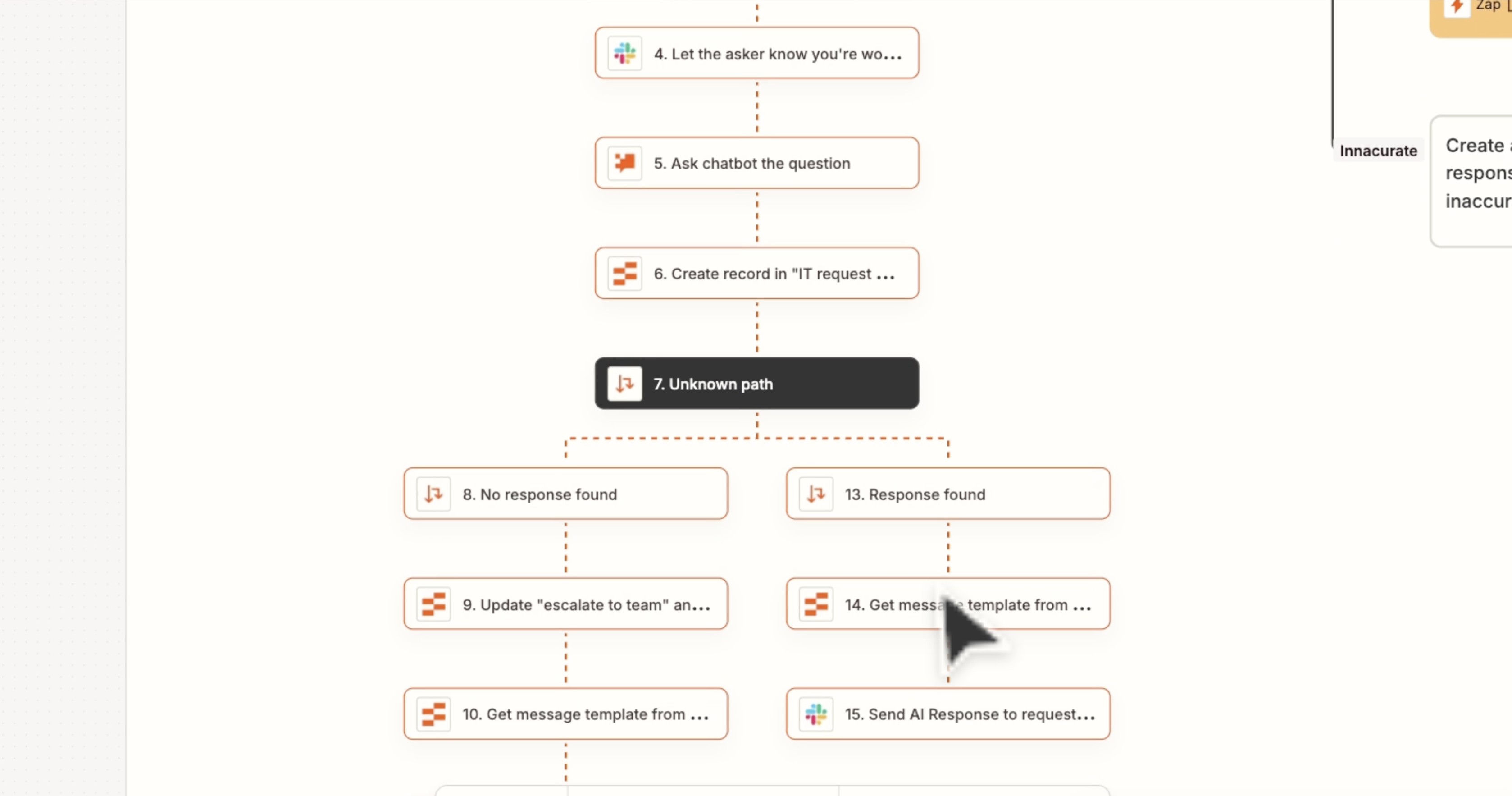
What makes it special: Zapier excels at creating bridges between disconnected tools. Someone fills out a Google Form? Zapier can automatically add them to your email list, create a task in your project management system, and notify your sales team—all within seconds.
The platform uses "Zaps"—automated workflows that trigger when specific events happen. A new Stripe payment triggers a welcome email sequence. A Slack mention creates a task in Asana. A new Salesforce lead gets enriched with data from Clearbit and added to a nurture campaign.
Real-World Impact
An e-commerce company we know uses Zapier to connect their Shopify store with their fulfillment service, accounting software, and customer support platform. When an order comes in, Zapier automatically creates a shipping label, updates inventory, records the transaction in QuickBooks, and sends tracking info to the customer. What used to require three people touching each order now happens automatically.
The AI Advantage
Zapier's newer AI features let you build automations using natural language. Instead of clicking through menus, you describe what you want: "When someone subscribes to my newsletter, add them to my CRM and send a welcome email." The AI builds the workflow for you.
Pricing Reality
Zapier offers a free tier with 100 monthly tasks—perfect for testing. Paid plans start at $19.99/month, scaling based on how many automated actions you need. For most small businesses, the Professional plan ($49/month) hits the sweet spot between capability and cost.
Who Should Choose Zapier
You're juggling multiple cloud apps and need them to work together seamlessly. You want quick wins without technical expertise. You value flexibility over industry-specific features.
The Catch
Multi-step workflows with complex logic can get expensive quickly since you pay per action. Heavy users might hit limits faster than expected. Some advanced scenarios require creative workarounds rather than native support.
2. Monday.com: When Your Team Needs a Central Hub
Monday.com transforms chaos into clarity. It's not just automation—it's a complete operating system for how your team works, with automation baked throughout.
What makes it special: While most tools specialize in one area, Monday.com handles project management, CRM, operations, and team collaboration in a single platform. Everything connects, so automating workflows across departments becomes natural rather than forced.
The visual interface makes complex processes understandable at a glance. Board views, timelines, Gantt charts, calendars—switch between perspectives instantly. Your marketing team sees campaigns, sales views deals, operations tracks fulfillment, all in one system.
The Automation Power
Monday.com's automation engine handles both simple and sophisticated workflows without code. Set up recurring tasks that automatically assign to the right person based on workload. Create approval chains that route requests through multiple stakeholders. Trigger notifications when projects hit milestones or risk falling behind.
What really shines is cross-board automation. Changes in your sales pipeline automatically update production schedules. Marketing campaign launches trigger operations checklists. Customer support issues create engineering tasks when they meet certain criteria.
AI That Actually Helps
The platform's AI doesn't just automate—it recommends. It spots bottlenecks before they become critical, suggests optimal resource allocation, and even drafts status updates by analyzing project activity. It learns your team's patterns and adapts recommendations accordingly.
Pricing Reality
Monday.com starts with a limited free tier for basic use. Real automation capabilities begin at the Standard plan ($12/user/month), with advanced features hitting at Professional ($19/user/month). Enterprise pricing is custom but includes unlimited automation actions—a huge advantage for large teams.
Who Should Choose Monday.com
You need more than task automation—you want a central hub where all work happens. Multiple departments need visibility into each other's workflows. You're tired of switching between twelve different tools just to get through your day.
The Considerations
The breadth of features can feel overwhelming initially. Teams need to invest time in setup and training to maximize value. It's overkill if you just need simple task automation between a couple of apps.
Bonus: Risotto – Your Internal Support Desk on Autopilot
Every tool above connects apps, coordinates projects, or automates customer journeys. Risotto goes after a different pile of manual work: the endless stream of internal requests landing on IT, HR, Finance, and Legal. "Can I get access to Figma?" "How much PTO do I have left?" "Why won't my VPN connect?" Each one is small, but together they bury your support team.
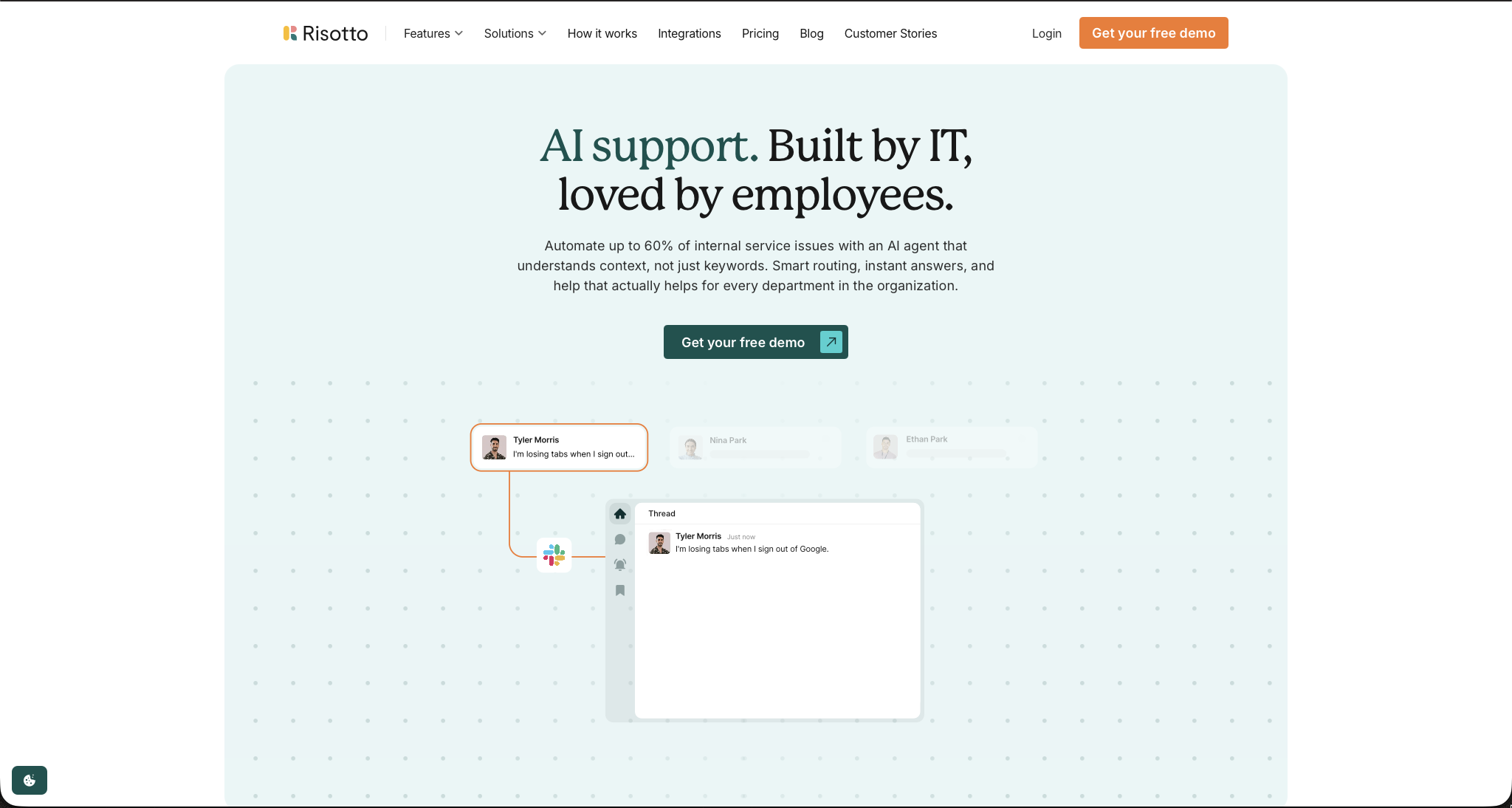
What makes it special: Risotto is an AI help desk that lives inside Slack, email, and Google Workspace, where your employees already work. There is no portal to log into and no form to hunt down. Someone sends a message, and the AI understands the context, answers or resolves the request, and only escalates what genuinely needs a human.
Tier-1 Support That Actually Resolves Things
Most support bots match keywords and dump canned answers. Risotto follows the conversation, asks clarifying questions, and handles multi-step troubleshooting until the issue is solved. It learns from your team's replies, so it never needs to be taught the same answer twice. It even recognizes screenshots employees send in.
Access Requests Without the Waiting Game
Software access is one of the biggest time sinks in any company. With Risotto, an employee requests access by message, the right approver is looped in automatically, and access is provisioned through your identity tools once approved. You can set time limits and approval rules, and every step is logged, which auditors love.
One Help Desk for Every Department
Risotto routes requests by intent, not just keywords, so questions reach IT, HR, Finance, or Legal without anyone tagging or guessing. Department-level permissions keep sensitive requests private. It also connects to the ticketing tools you already use, including Jira, Freshservice, and Zendesk, plus knowledge sources like Notion, Confluence, and Google Drive.
Real-World Impact
Customers report strong results on the company's site. Gusto auto-resolves 55% of its IT tickets, and Vidyard says Risotto resolves or triages 56% of its support tickets. Retool cut its average resolution time from a 2-day SLA to under a day.
The AI Advantage
Risotto's Tier 2 assistant handles the tickets that do get escalated. It investigates the issue using the employee's context, tool logs, and previous actions, then drafts a fix that an agent approves with one click. It also flags gaps in your knowledge base and helps turn support replies into new articles.
Pricing Reality
Risotto offers a 30-day free trial. The Startup plan, for companies under 200 employees, costs $1,250/month billed annually. Larger organizations get custom Enterprise pricing, and one license covers all departments. Pricing is demo-led, so expect a conversation rather than a self-serve checkout.
Who Should Choose Risotto
Your IT team is drowning in password resets and access requests. HR, Finance, and Legal fight the same repeat-question battle. You already use a ticketing system and want AI on top of it rather than a rip-and-replace. Your team lives in Slack.
The Considerations
This isn't a tool for solopracticing freelancers or tiny teams. The pricing and feature set are built for mid-to-large organizations. It's focused on internal support, so it won't replace your CRM, project management, or workflow connector. Results depend on how good your existing knowledge base is, and the headline automation numbers are vendor-reported, so test with your own ticket mix during the trial.
3. HubSpot: The Growth Engine for Customer-Facing Teams
HubSpot built its reputation on inbound marketing, but it's evolved into a comprehensive growth platform that automates the entire customer journey from first touch to loyal advocate.
What makes it special: HubSpot centers everything around your customer relationship management system. Every automation runs on rich customer data, making personalization effortless and enabling sophisticated nurture campaigns that feel genuinely relevant.
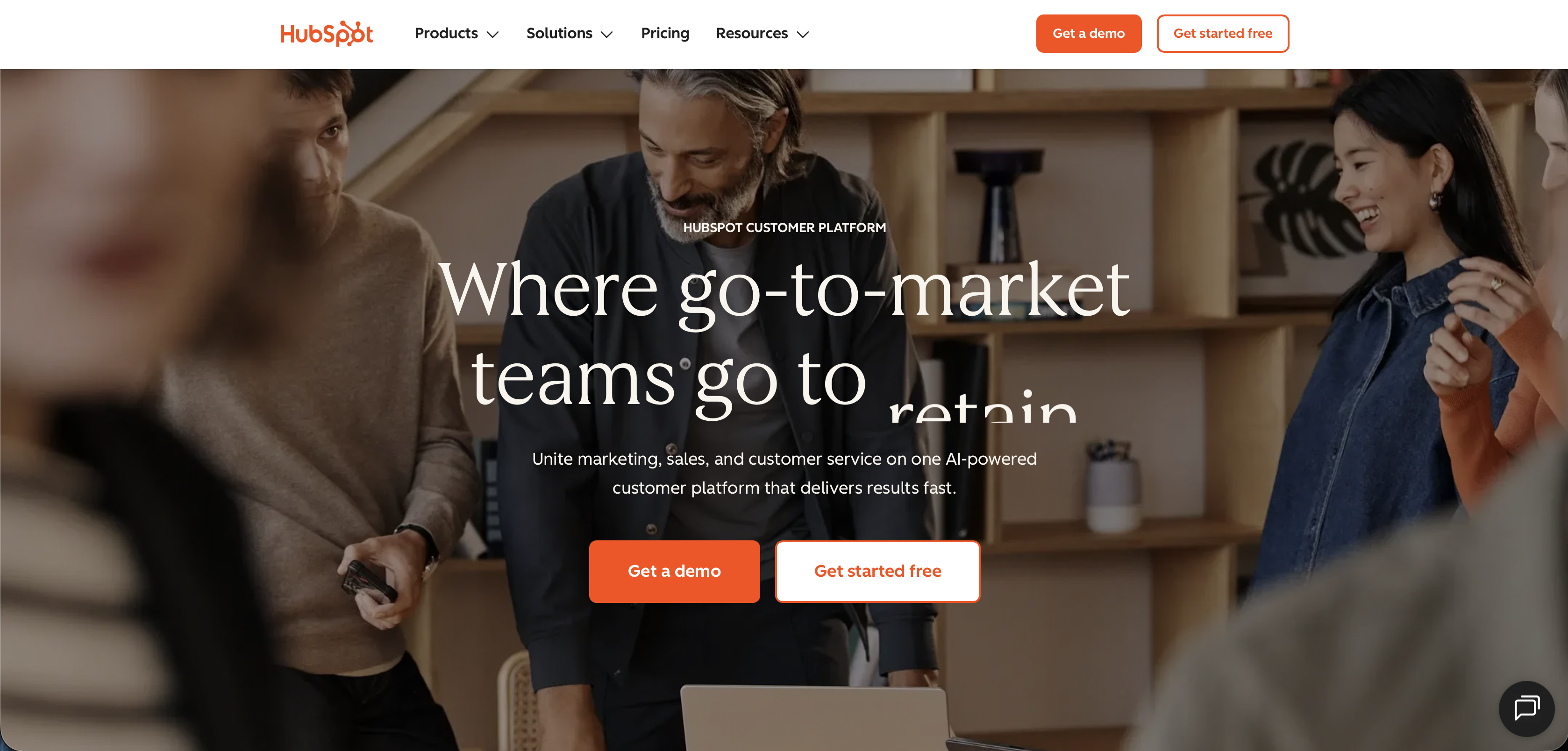
The platform brings marketing, sales, and service under one roof with shared data. Marketing creates campaigns that automatically qualify leads for sales. Sales activities trigger service team notifications. Support interactions inform future marketing—it's a closed loop of customer intelligence.
Marketing Automation That Converts
Create complex drip campaigns that adapt based on recipient behavior. Someone clicks a specific link? They automatically enter a targeted sequence. They visit your pricing page three times? Sales gets an alert. They abandon a cart? A carefully timed recovery email deploys.
Lead scoring happens automatically, prioritizing prospects most likely to convert. Forms auto-populate for returning visitors. Thank-you pages customize based on what was downloaded. Every touchpoint becomes smarter.
Sales Automation That Closes Deals
The CRM automatically logs emails, calls, and meetings—no manual data entry. Sequences guide reps through follow-up cadences with tasks, emails, and calls pre-scheduled. Deal stage changes trigger appropriate actions across teams.
Pipeline automation is particularly powerful. Deals stuck in one stage too long? Automatic alerts. High-value opportunities going cold? Escalations to managers. Contracts signed? Handoff to customer success with complete history.
Pricing Reality
HubSpot offers robust free tools including basic CRM and limited automation. Starter plans begin at $20/month for basic marketing or sales automation. Professional tiers ($890-$1,780/month) unlock sophisticated automation and serious horsepower. It's not cheap at scale, but the ROI for growing companies is substantial.
Who Should Choose HubSpot
Customer acquisition and retention drive your business. Marketing and sales need to operate as one unit. You want powerful automation without piecing together multiple platforms. You're willing to invest in a platform you'll grow into.
The Considerations
Costs escalate significantly as you add features and contacts. Some advanced capabilities require professional services or technical knowledge. The platform's depth means you probably won't use 80% of features initially—you're investing in future capability.
4. ActiveCampaign: Email Marketing That Thinks
ActiveCampaign started as an email platform but has grown into a sophisticated customer experience automation tool that punches way above its weight class.
What makes it special: While competitors focus on blast emails, ActiveCampaign obsesses over personalized customer journeys. The automation builder creates branching paths based on behavior, interests, and engagement—treating each contact as an individual rather than a number in your list.
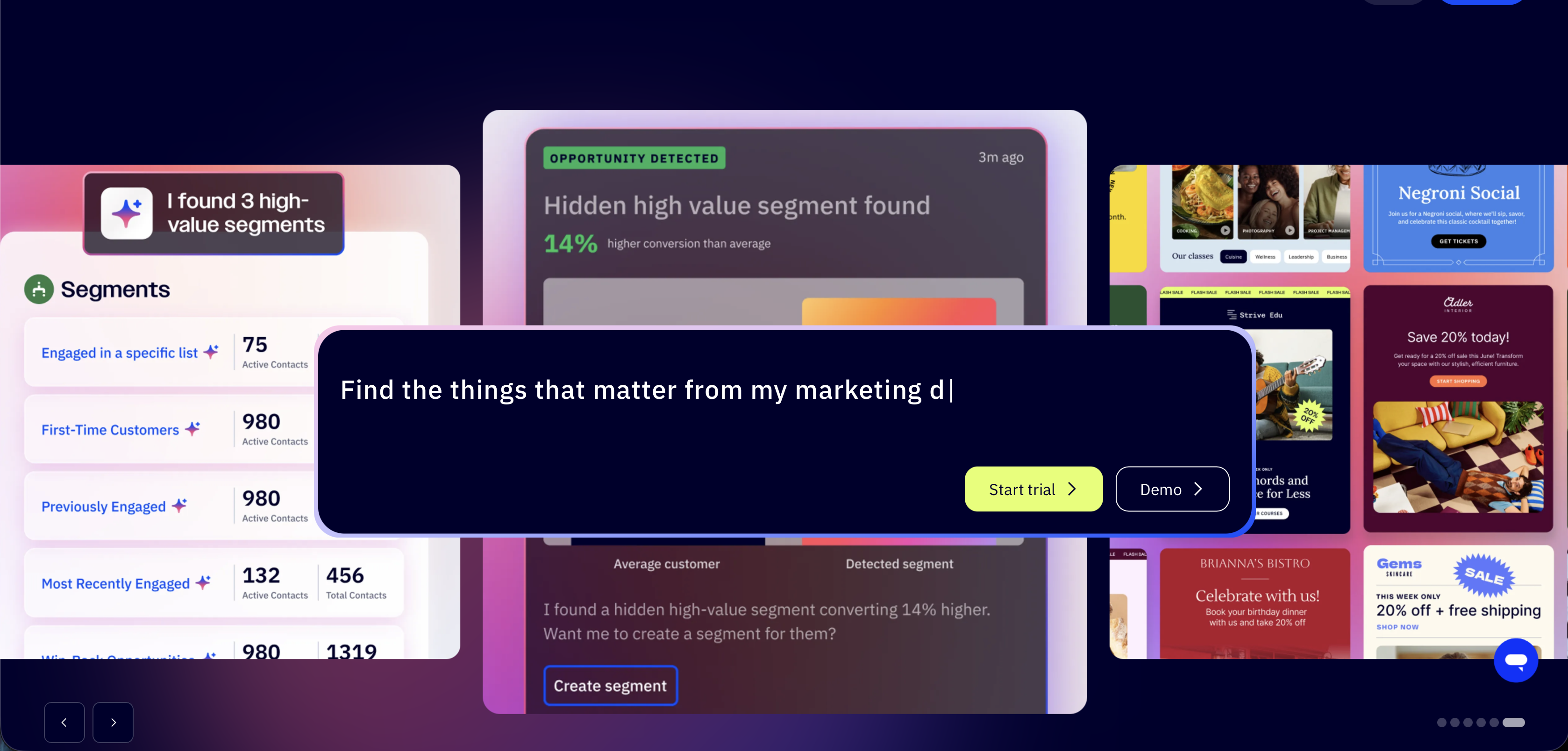
The platform combines email marketing, marketing automation, sales automation, and CRM in one surprisingly affordable package. For small to mid-sized businesses wanting HubSpot-level sophistication without enterprise pricing, ActiveCampaign hits the sweet spot.
Automation That Feels Personal
Build complex workflows visually, with conditional logic that rivals dedicated automation platforms. Someone opens an email but doesn't click? Send a different follow-up than someone who clicked but didn't convert. Cart abandoners get recovery sequences timed perfectly based on your product category.
The platform tracks site visits, linking website behavior to email engagement. A prospect researching your pricing page? They enter an automated sequence addressing common objections. Existing customers browsing new products? Cross-sell campaigns deploy automatically.
The CRM Surprise
ActiveCampaign's CRM isn't an afterthought—it's genuinely useful. Sales pipelines track deal progression with automated task creation. Contact records show complete engagement history. Lead scoring factors both email engagement and website activity, giving sales teams quality context before reaching out.
Deal automation is particularly clever. Opportunities automatically move through stages based on customer actions. High-value deals trigger management notifications. Lost deals enter win-back campaigns. It's the full lifecycle automated.
Pricing Reality
Plans start at $15/month for basic email marketing, but real automation power begins at $49/month (Plus plan). Professional tier ($79/month) adds predictive sending and site messaging. Even at the top end, it's substantially cheaper than HubSpot or Marketo for similar capabilities.
Who Should Choose ActiveCampaign
Email marketing drives meaningful revenue for your business. You want sophisticated automation without breaking the bank. Personalization matters more than blast volume. You need CRM functionality but don't require enterprise-grade sales tools.
The Considerations
The interface isn't as polished as some competitors—there's a learning curve. Deep features require time investment to master. Project management and team collaboration capabilities are minimal compared to platforms like Monday.com.
5. Make (formerly Integromat): When Zapier Isn't Enough
Make takes integration-based automation to the next level with visual workflows that handle complex scenarios Zapier struggles with. If you've ever hit Zapier's limitations, Make is where you graduate to.
What makes it special: Make's visual builder shows exactly how data flows through your automation, making complex multi-step processes easier to understand and debug. The platform offers more granular control, allowing you to manipulate data, add logic, and handle errors with sophistication that simple tools can't match.
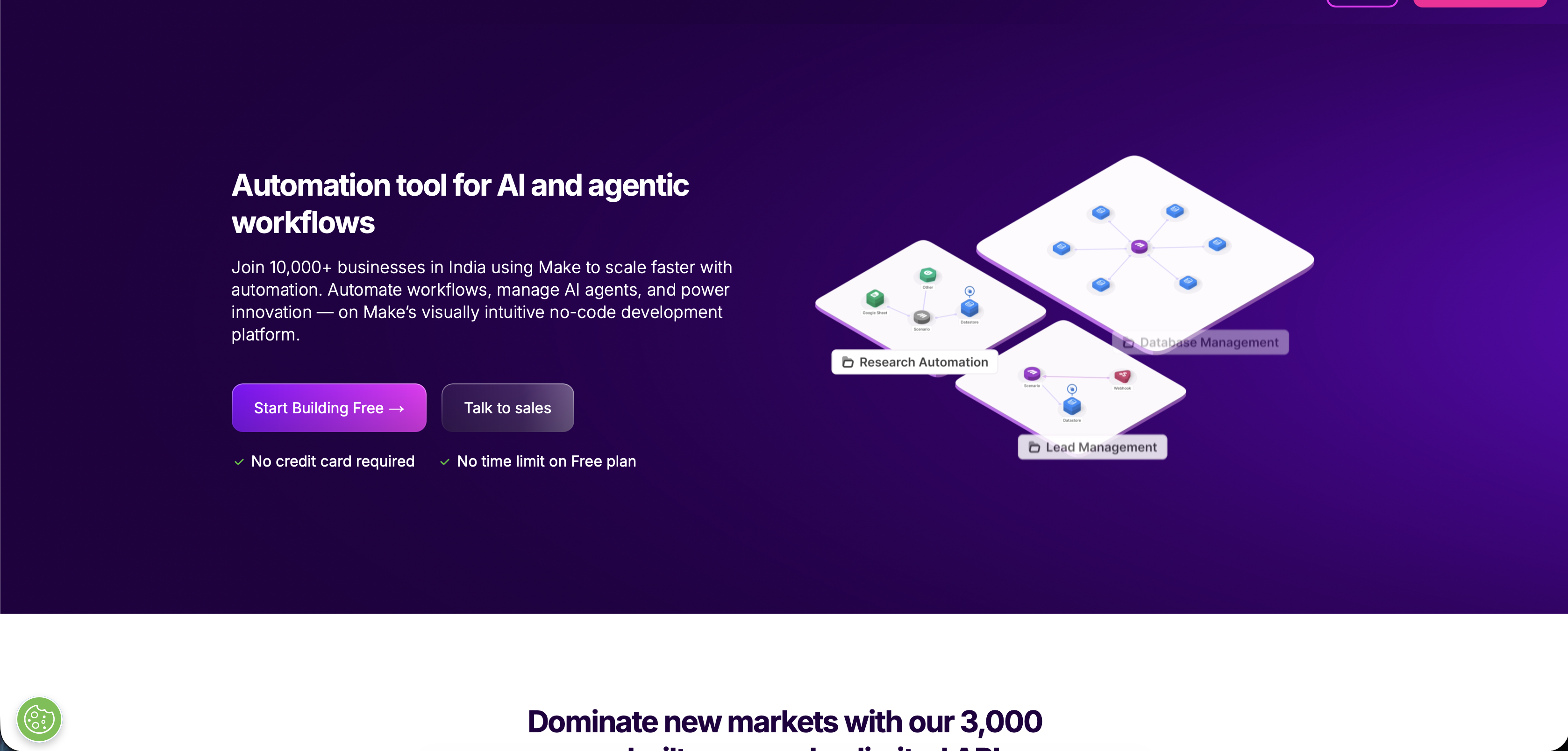
While Zapier excels at straightforward connections, Make shines when you need conditional logic, data transformation, error handling, and parallel processing. It's the difference between connecting apps and orchestrating complex business processes.
Power User Features
Make lets you iterate through data sets, making bulk operations elegant. Process 500 new leads individually? Easy. Transform data formats on the fly? Built-in. Handle API responses that vary? Conditional paths manage every scenario.
The router module splits single workflows into multiple paths based on conditions. A form submission might route to sales for enterprise leads, marketing automation for smaller prospects, and support for existing customers—all in one automation.
Error handling is mature, with fallback paths and retry logic. Webhooks enable real-time triggers from any service. HTTP modules let you connect to any API, even without pre-built integrations.
The Learning Investment
Make's power comes with complexity. The visual builder is intuitive once learned, but there's definitely a learning curve. You'll spend time understanding concepts like aggregators, iterators, and routers. For technical users or those with complex needs, it's time well spent.
Pricing Reality
Make offers a generous free tier with 1,000 operations monthly—2x what Zapier's free plan provides. Paid plans start at $9/month for 10,000 operations. Even at scale, Make typically costs 50-70% less than Zapier for equivalent automation volume.
Who Should Choose Make
You've outgrown simpler automation tools and need serious processing power. Your workflows involve complex logic, data manipulation, or high volumes. You have technical team members who appreciate granular control. Budget matters and you want maximum capability per dollar spent.
The Considerations
Steeper learning curve than Zapier or other beginner-friendly tools. The interface, while functional, isn't as sleek as competitors. Smaller app ecosystem means you might need to use API modules for some connections. Not ideal for non-technical teams wanting quick wins.
How to Choose the Right Platform (Without Losing Your Mind)
Staring at five solid options can trigger analysis paralysis. Here's a framework that cuts through the noise.
Start with your primary pain point. Are you drowning in disconnected apps? Zapier or Make. Need team coordination and project visibility? Monday.com. Focused on customer acquisition? HubSpot or ActiveCampaign.
Consider your technical comfort level. Non-technical team needing quick results? Zapier or Monday.com. Comfortable with concepts like APIs and data transformation? Make opens powerful possibilities.
Think about growth trajectory. Startups should prioritize flexibility and lower entry costs—ActiveCampaign or Zapier. Scaling companies need platforms that won't require replacement in two years—Monday.com or HubSpot.
Budget realistically. Don't just look at starting prices—project what you'll pay at 2x and 5x your current size. That $20/month plan becomes $500 at scale. Some tools offer better economics for growth than others.
Map your integration needs. List the ten apps you absolutely must connect. Check if your shortlisted platforms support them natively. Custom API work adds friction and maintenance burden.
The Implementation Reality Nobody Mentions
Buying software is easy. Actually implementing it successfully? That's where most teams stumble.
Start small, think big. Pick one annoying manual process and automate it completely before tackling the next. Success builds momentum and organizational buy-in. Trying to automate everything simultaneously guarantees failure.
Document obsessively. When you create an automation, document what it does, why it exists, and what happens if it breaks. Six months later when something goes wrong, you'll thank yourself.
Plan for maintenance. Automations aren't set-it-and-forget-it. Apps update, processes change, edge cases emerge. Budget time for ongoing optimization and adjustment. Expect to spend 10-20% of initial setup time monthly on maintenance.
Train thoroughly. The best automation fails if your team doesn't know it exists or doesn't trust it. Invest in training, create guides, and appoint champions who can help teammates navigate new workflows.
Monitor metrics religiously. Track time saved, errors reduced, and processes completed faster. Quantifying impact justifies investment and identifies what to automate next. Without metrics, you're flying blind.
Common Mistakes That Tank Automation Projects
Learn from others' expensive mistakes rather than making your own.
Automating broken processes: If your current workflow is inefficient or illogical, automation just makes you fail faster. Fix the process first, then automate the optimized version.
Ignoring the human element: Technology is only half the equation. If your team doesn't understand, accept, or use the automation, it's worthless. Change management matters as much as technical implementation.
Over-engineering from day one: The urge to build the perfect system immediately is strong and wrong. Start simple, gather feedback, iterate. Complex automations are harder to debug and more likely to break.
Neglecting security and compliance: Automated systems often handle sensitive data. Make sure your chosen platform meets security standards and complies with relevant regulations (GDPR, HIPAA, SOC 2). A data breach negates years of efficiency gains.
Forgetting about exceptions: Automation handles the 90% case beautifully. But business always involves exceptions and edge cases. Build in human override capabilities and clear escalation paths for situations automation can't handle.
What 2026 Brings to Automation
The automation landscape evolves fast. Here's what's changing this year.
AI integration becomes standard, not premium. Every major platform now includes AI-powered features—predictive analytics, smart routing, automated responses. What required enterprise pricing last year is increasingly available in mid-tier plans.
No-code gets more powerful. The gap between what non-technical users can build and what requires developers keeps shrinking. Expect more sophisticated automation from teams without engineering resources.
Real-time becomes non-negotiable. Batch processing is dying. Modern automation happens instantly, with webhooks and event-driven architectures replacing scheduled polling. Delays between trigger and action are measured in milliseconds, not minutes.
Privacy and transparency matter more. With increasing regulations and consumer awareness, platforms emphasizing data protection, audit trails, and user consent gain competitive advantage. Choose tools that take privacy seriously.
Integration ecosystems explode. The number of available integrations keeps growing exponentially. Connecting niche industry-specific tools becomes easier, reducing the "but it doesn't work with X" objection.
The Future of Work Is Already Here
Automation isn't some distant future concept—it's what separates thriving businesses from struggling ones today. Your competitors are already automating. Your customers expect the speed and accuracy that automation enables. Your team deserves to spend energy on meaningful work rather than repetitive tasks.
The tools exist. They're accessible. They're affordable. The only question is whether you're ready to make the shift.
Start with one process this week. Choose one of these platforms, sign up for a trial, and automate something that annoys you daily. Watch what happens when that three-hour weekly task completes itself in three minutes.
Then automate another process. And another. Before you know it, your team operates with a velocity that seemed impossible six months ago.
The hardest part isn't choosing the right platform—it's making the decision to start. Everything else is just execution.
How MY AI TASK Accelerates Your Automation Journey
MY AI TASK specializes in turning automation complexity into clarity. We don't just recommend tools—we design, build, and optimize automation systems tailored to your specific business needs.
What We Deliver
Custom automation strategy that identifies your highest-impact opportunities and prioritizes them for maximum ROI.
Implementation support from initial setup through team training, ensuring your automation actually gets used.
Integration expertise connecting your tools into unified workflows that eliminate manual handoffs and data duplication.
Ongoing optimization monitoring performance, identifying bottlenecks, and continuously improving your automated processes.
We've helped businesses across industries save thousands of hours and hundreds of thousands of dollars through strategic automation. From startups scaling efficiently to established companies modernizing operations, we build systems that deliver measurable results.
Conclusion: Your Move
Five platforms. Endless possibilities. The right choice depends on your specific situation, but any choice beats standing still.
Zapier for broad connectivity. Monday.com for centralized operations. HubSpot for growth-focused teams. ActiveCampaign for smart email marketing. Make for power users needing maximum control.
Each tool has transformed businesses. The question isn't which is objectively "best"—it's which solves your specific problems most effectively.
Stop tolerating manual work that machines can handle better. Stop watching competitors pull ahead while you're stuck in spreadsheets. Stop accepting that business has to feel like constant firefighting.
Pick a platform. Start small. Build momentum. Six months from now, you'll wonder why you waited so long.
The future of work is automated. The only question is when you'll join it.